








Mostbet App India - APK Download for Android and iOS
Download the app!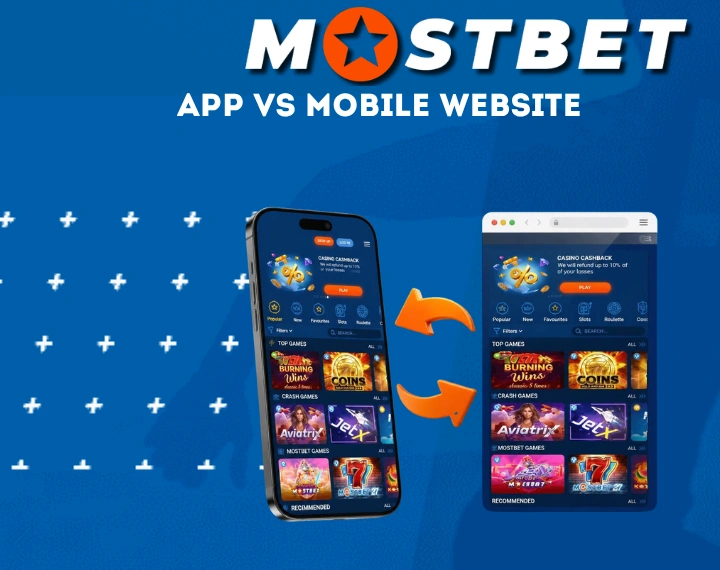
The landscape of online wagering and digital casino entertainment in India has transformed dramatically over the past decade. As smartphone technology becomes increasingly accessible and high-speed cellular networks cover even remote parts of the country, bettors no longer need to rely on desktop computers to engage with their favorite sports or casino games. The official Mostbet application stands at the forefront of this shift, offering a highly tailored mobile environment designed specifically for Indian users. By integrating local payment gateways such as UPI, Paytm, PhonePe, and Google Pay, supporting Indian Rupees (INR), and delivering a massive sportsbook alongside premium casino titles like Teen Patti and Andar Bahar, the platform ensures a top-tier handheld experience.
Navigating the transition from a traditional website to a dedicated mobile software ecosystem brings numerous advantages, including drastically reduced data consumption, bypassed regional restrictions, instant biometric access, and seamless transaction processing. This comprehensive guide explores every facet of acquiring, installing, and utilizing the Mostbet mobile software on both major smartphone operating systems.
Mostbet APK Download for Android
Acquiring the Android version of the software requires a slightly different approach than downloading a standard utility from the Google Play Store. Because global corporate policies strictly regulate the distribution of real-money gambling applications on official app stores, operators distribute their mobile platforms independently. This is achieved through an Android Package (APK) file, which serves as the core installer for the Android operating system.
Android System Requirements
Before downloading the installation package, verifying your smartphone’s hardware capabilities ensures a frictionless betting experience. The developers have optimized the software to function seamlessly across a massive variety of devices, from older budget phones to the latest flagship models.
| Hardware Specification | Minimum Threshold | Recommended for Peak Performance |
| Operating System | Android 5.1 (Lollipop) | Android 8.0 (Oreo) or newer |
| Available Memory (RAM) | 1 GB | 2 GB or higher |
| Internal Storage Space | 150 MB | 300 MB for optimal caching |
| Processor Capability | 1.2 GHz Dual-Core | 1.8 GHz Quad-Core or faster |
| Network Connectivity | 3G or standard Wi-Fi | 4G, 5G, or Broadband Wi-Fi |
Step-by-Step APK Installation
Getting the software up and running on your Android smartphone is a straightforward process that takes only a couple of minutes:
- Launch your preferred mobile web browser, such as Google Chrome, Mozilla Firefox, or Opera, and navigate directly to the verified official Mostbet homepage.
- Scroll through the main interface to locate the mobile application section, typically represented by a prominent Android robot icon located in the site’s header or footer.
- Tap the designated download button to initiate the transfer of the mostbet.apk file directly into your smartphone’s local download folder.
- Open your device’s native File Manager or the browser’s download history, find the newly saved APK file, and tap it to trigger the built-in package installer.
- Review the standard permission requests, confirm the installation prompt, and wait a few moments for the software icon to materialize on your home screen.
Allowing Installation from Unknown Sources
The Android ecosystem is designed with a default security gatekeeper that prevents the execution of files obtained outside the official Google Play infrastructure. To successfully run the installer you just downloaded, you must temporarily bypass this restriction:
- Android 7.0 and Below: Navigate manually to your phone’s central Settings menu, locate the Security or Privacy tab, and manually activate the “Unknown Sources” option before attempting to open the APK file.
- Android 8.0 and Above: Tapping the downloaded APK file will instantly trigger a security pop-up. Simply tap “Settings” on this alert and flip the toggle switch to allow installations from your current web browser or file manager.
Updating the Mostbet App
Digital security and platform functionality are constantly evolving, making routine software updates essential. The development team frequently releases patches that introduce fresh slot machines, refine the live sports interface, and patch security vulnerabilities.
The application features an autonomous detection system; whenever a newer build is deployed on the servers, an update notification will appear the next time you launch the software. Accepting this prompt allows the program to download and apply the necessary background files automatically. If you ever experience a failed update due to network disruption, simply returning to the official website and grabbing the newest APK file will overwrite the outdated files without erasing your saved login credentials, INR balance, or personal preferences.
Mostbet App for iOS
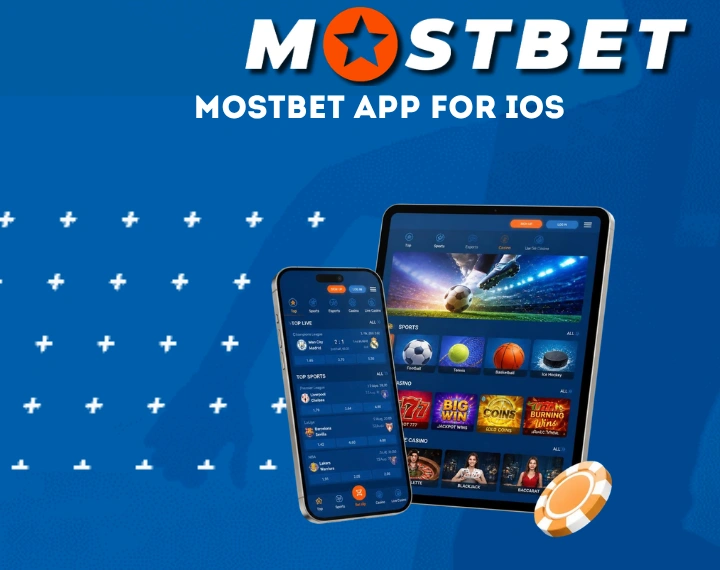
Apple enthusiasts in India are provided with a dedicated, highly responsive iOS variant. The development team has engineered a bespoke application that flawlessly integrates with Apple’s strict ecosystem, capitalizing on fluid animations, hardware-level security protocols, and battery efficiency inherent to iPhones and iPads.
iPhone and iPad Requirements
The iOS architecture is famously efficient, meaning the application runs exceptionally well even on older generations of Apple hardware.
| Hardware Specification | Requirement |
| Operating System | iOS 11.0 / iPadOS 11.0 or newer |
| Compatible Models | iPhone 6s up to iPhone 16 Pro Max, iPad Air, iPad Pro, iPad mini |
| Free Storage Space | Minimum 200 MB for app installation and media cache |
| RAM Requirement | 1 GB minimum (2 GB+ recommended) |
Installing via Safari and Home Screen
Acquiring the software on an Apple device is exceptionally streamlined. You can proceed via the official App Store or install it directly as a progressive web client via Safari:
- Open Safari on your iPhone or iPad and navigate to the official Mostbet mobile portal.
- Scroll to the bottom or tap the main menu to locate the iOS App download option.
- If redirected to the official Apple App Store, simply tap the “Get” button and authenticate the installation using Face ID, Touch ID, or your Apple ID password.
- Alternatively, tap the “Share” button in Safari’s navigation bar and select “Add to Home Screen.” This generates a dedicated web application icon on your primary dashboard, granting instant one-tap access without requiring App Store region adjustments.
Changing the App Store Region
Occasionally, regional restrictions in the Indian App Store storefront may obscure the application. Overcoming this hurdle is remarkably simple and entirely safe:
- Open the App Store, search for “Mostbet,” complete the installation, and seamlessly revert your Apple ID back to your authentic Indian address.
- Open your iPhone’s main Settings app and tap your Apple ID profile banner at the very top.
- Select “Media & Purchases” and tap “View Account.”
- Tap on “Country/Region” and choose “Change Country or Region.”
- Temporarily switch your location to a jurisdiction where the app is freely available (such as Cyprus, Uzbekistan, or Peru).
- Agree to the Terms and Conditions, select “None” as the payment method, and input a basic street address for that region.
Mostbet App vs Mobile Website
Players frequently debate whether downloading dedicated software is superior to simply bookmarking the mobile website. While both avenues provide full access to the sportsbook and casino lobby, their underlying mechanics create distinctly different user experiences.
| Evaluation Metric | Dedicated Mobile Application | Mobile Browser Website |
| Interface Rendering | Instantaneous; visual assets are stored locally | Relies entirely on internet speed to load elements |
| Bandwidth Economy | Highly efficient; consumes minimal cellular data | Heavier data drain due to constant page reloading |
| Accessibility | Instant access via biometric authentication | Requires manual credential entry or browser saving |
| Alert Systems | Full support for customizable push notifications | Inconsistent alerting depending on the browser used |
| Space Consumption | Demands a permanent portion of internal storage | Zero local storage footprint required |
| Censorship Evasion | Built-in proxy algorithms bypass blockades | Prone to ISP blocks; may require manual mirror hunting |
Features Available in the Mostbet App
Once inside the digital ecosystem, users are greeted by a meticulously organized dashboard. The interface is specifically engineered for touch navigation, utilizing collapsible menus, quick search bars, and swipe gestures to keep the screen uncluttered while retaining massive depth.

Cricket Betting on Mobile
Cricket is undeniably the heartbeat of sports betting in India. The Mostbet app places cricket at the very center of its user interface, featuring dedicated hubs for domestic and international matches. Punters can access hundreds of pre-match and in-play markets on every match, including match winner, top batsman, top bowler, total match sixes, individual player runs, session runs, fall of next wicket, and coin toss outcomes.
IPL and International Match Markets
During the Indian Premier League (IPL) season, the application deploys specialized promotional hubs and boosted odds. Beyond the IPL, the platform offers exhaustive coverage of all international test matches, One Day Internationals (ODIs), T20 Internationals, and major domestic leagues across the globe:
- International Tournaments: ICC Cricket World Cup, T20 World Cup, ICC Champions Trophy, Asia Cup, and World Test Championship finals.
- Global T20 Leagues: Big Bash League (BBL), Caribbean Premier League (CPL), Pakistan Super League (PSL), SA20, International League T20 (ILT20), and Major League Cricket (MLC).
- Domestic Indian Cricket: Ranji Trophy, Syed Mushtaq Ali Trophy, and Vijay Hazare Trophy.
Casino, Teen Patti and Andar Bahar
For players who enjoy traditional Indian card games alongside international casino titles, the app features an extensive live casino and table game section.
- Slots & Table Games: Over 3,000 video slots featuring Megaways mechanics, bonus buys, and progressive jackpots from studios like Pragmatic Play, NetEnt, Microgaming, and Play’n GO.
- Teen Patti: Multiple variants of the classic Indian 3-card game, including Live Teen Patti, 20-20 Teen Patti, and One Day Teen Patti with real human dealers speaking English and Hindi.
- Andar Bahar: Fast-paced live and RNG versions of the iconic Indian game, featuring side bets on the total cards dealt before a match card appears.
Aviator and Crash Games in the App
Crash games have taken the Indian mobile gaming market by storm, with Spribe’s Aviator leading the category. The Mostbet app includes a dedicated crash game section housing popular titles like Aviator, JetX, Astronaut, and Spaceman:
- Instant Touch Controls: Tap to cash out your multiplier before the plane flies away.
- Auto Cashout & Auto Bet: Set automated parameters to execute strategies effortlessly on mobile connections.
- Live Chat & Statistics: Interact with other Indian players in real-time, view live bet feeds, and analyze historical multiplier leaderboards.
Live Streaming and Match Statistics
A funded account unlocks a powerful internal broadcasting hub directly on your mobile device. Users can watch high-definition video streams of premier sporting events directly on their phone screens in portrait or landscape mode.
When broadcasting rights prevent a live video feed, the application seamlessly pivots to a dynamic 2D graphical representation of the field, updating ball-by-ball or play-by-play. This visual tracker is paired with immense statistical databases, showing possession percentages, shot heatmaps, boundaries per over, and historical head-to-head records to inform your live betting strategy.
Notifications and Personal Account
The software works intelligently in the background to keep you informed. Instead of obsessively checking the app to see if a wager was successful, the system pushes instant alerts to your lock screen the moment a bet slip settles. You can finely tune these notifications within your profile dashboard, choosing to receive warnings when a favorite cricket team is about to kick off, alerts about incoming deposits, or exclusive promotional codes tailored to your betting habits.
Registration and Login Through the App
Entering the ecosystem as a new participant from India is incredibly frictionless. The development team understands that lengthy forms deter mobile users, so they have engineered multiple rapid onboarding pathways.
Creating an Account in the App
Establishing your profile takes mere moments. After launching the software for the very first time, tap the prominent “Register” button and select one of four distinct methodologies:
- One-Click Route: Choose India as your residence and INR as your currency. The system instantly manufactures a secure username and password, granting immediate entry.
- Mobile Phone Authentication: Input your active +91 mobile number, select your preferred welcome bonus (Sports or Casino), choose INR as your currency, and finalize the process by inputting a secure SMS verification PIN.
- Email Registration: Provide a valid email address, craft a robust password, select India and INR, and click the activation hyperlink delivered to your inbox.
- Social Network Synchronization: Bind an active profile from major platforms (Google, Telegram, or Steam) to automatically pull basic verification data and create a linked account.
Mostbet App Login and Password Recovery
Returning users simply tap the login portal, inputting their chosen credential type—be it an email, mobile phone number (+91), or system-generated ID.
The greatest convenience of the mobile software is the integration of biometric security. Once logged in manually, you can instruct the app to recognize your fingerprint or facial geometry, turning future logins into a one-second process. If a password slips your mind, tap “Forgot Password?” on the login screen, enter your registered email or mobile number, and the system will swiftly dispatch a reset code to restore your access immediately.
Completing KYC from a Mobile Device
To comply with international anti-money laundering directives and ensure safe withdrawals, verifying your identity is mandatory before processing large transactions. This Know Your Customer (KYC) protocol is fully integrated into the mobile software:
- Open the app, navigate to your Personal Profile settings, and complete all personal detail fields (Full Name, Date of Birth, State, City).
- Tap the Verification tab.
- Use your phone’s camera to capture a clear, glare-free photograph of your official Indian identification document (Aadhaar Card, PAN Card, Passport, or Voter ID).
- Upload the document directly through the secure app interface. The administration team typically reviews and approves verification requests within 2 to 12 hours.
Deposits and Withdrawals in the App
Financial fluidity in local currency is crucial for a premium betting experience. The application fundamentally respects the Indian economic landscape by fully embracing native digital wallets, UPI rails, traditional banking avenues, and modern cryptocurrencies.
UPI, Paytm, PhonePe and Google Pay
Unified Payments Interface (UPI) is the primary method for mobile transactions in India. Mostbet integrates native UPI payment gateways, allowing seamless app-to-app redirection:
- UPI Direct: Generate a unique UPI QR code or enter your Virtual Payment Address (VPA) to approve payments directly inside apps like Google Pay, PhonePe, Paytm, or BHIM.
- Paytm Wallet / UPI: Instant processing using your registered Paytm account.
- PhonePe & Google Pay: Native deep-linking redirects you straight to your payment app to enter your UPI PIN, returning you to Mostbet automatically upon success.
Net Banking, Cards and Crypto Options
In addition to UPI, the app supports a wide array of alternative deposit and withdrawal channels:
- Net Banking (IMPS / NEFT): Direct transfers supporting major Indian banks including SBI, HDFC Bank, ICICI Bank, Axis Bank, Punjab National Bank, and Kotak Mahindra.
- Bank Cards: Visa and Mastercard debit and credit cards.
- Cryptocurrencies: Bitcoin (BTC), Tether (USDT – TRC20/ERC20), Ethereum (ETH), Litecoin (LTC), Dogecoin (DOGE), and Ripple (XRP) for instant, boundary-free transactions.
Limits, Processing Times and INR Balance
| Financial Gateway | Minimum Deposit (INR) | Maximum Deposit (INR) | Deposit Speed | Typical Withdrawal Duration |
| UPI / PhonePe / GPay | ₹300 | ₹50,000 | Instantaneous | 15 Minutes to 24 Hours |
| Paytm Wallet | ₹300 | ₹50,000 | Instantaneous | 15 Minutes to 24 Hours |
| Net Banking (IMPS) | ₹500 | ₹1,000,000 | 5 to 15 Minutes | 1 to 3 Business Days |
| AstroPay / E-Wallets | ₹500 | ₹100,000 | Instantaneous | 15 Minutes to 12 Hours |
| Crypto (USDT/BTC) | ~₹500 Equivalent | Unlimited | Network Dependent | 15 Minutes to 2 Hours |
Bonuses for Mostbet App Users
The promotional architecture is designed to reward both incoming rookies and loyal veterans. Choosing to interact via the smartphone software guarantees access to every single promotional campaign run by the operator.
App Download Bonus and Free Spins
Downloading and installing the official mobile application unlocks exclusive mobile-only perks. Periodically, Mostbet awards newly registered app users a special no-deposit bonus—typically consisting of 100 Free Spins on selected slot games or a free bet voucher—simply for installing the software and logging into their profile for the first time.
Welcome Offer on the First Deposit
Newcomers are greeted with a lucrative initial boost to their INR bankroll:
- Casino Bonus: Demands a 60x turnover in eligible casino games within 72 hours.
- Standard Match: Funding your account within 7 days of sign-up secures a 100% match on your capital up to ₹34,000.
- Accelerated Speed Bonus: If you execute your initial deposit within 15 to 30 minutes of account creation, the algorithm boosts the matching percentage to 125%.
- Casino Perks: Pushing your first deposit past ₹1,000 triggers an auxiliary reward of 250 Free Spins, distributed in equal batches of 50 spins per day over 5 consecutive days.
Turnover Mechanics:
- Sports Bonus: Must be rolled over 5x in accumulator bets (minimum 3 selections, each with odds of 1.40 or higher) within 30 days.
App Settings and Personalisation
The software refuses a one-size-fits-all approach, providing a robust configuration menu to tailor the environment to individual preferences.
Language, Odds Format and Notifications
Punters can customize several interface parameters to match their habits:
- Language Toggle: Instantly switch the interface language between English, Hindi (हिंदी), and several other regional languages.
- Odds Display Format: Choose between Decimal (1.80), Fractional (4/5), American (-125), Hong Kong, Malay, or Indonesian odds styles.
- Theme Controls: Manual and automatic switches between Light Mode and Dark Mode to protect eyes during late-night live betting sessions.
- Data Saver Mode: Activate built-in bandwidth compression to stop automatic video streaming and suppress heavy graphic rendering on limited mobile data plans.
Responsible Gambling Tools on Mobile
Mostbet incorporates self-regulation features directly inside the mobile settings to promote healthy gambling behavior:
- Deposit Limits: Set strict daily, weekly, or monthly capping thresholds on your INR deposits.
- Session Timers: Receive pop-up reminders when you have been active in the app for a pre-set continuous duration.
- Self-Exclusion: Temporarily lock your profile for periods ranging from 24 hours to 6 months, or request permanent account closure via customer support.
Common Mostbet App Problems and Fixes
Despite rigorous quality assurance testing, the myriad of different smartphone configurations means minor technical hiccups can occasionally surface. Most of these anomalies can be resolved independently in seconds.
App Not Installing or Not Opening
If the APK package outright refuses to install on Android, the culprit is almost always the device’s security settings aggressively blocking third-party sources. Re-verify that “Unknown Sources” is enabled in your browser or security settings.
If the app installs but crashes upon launching, the downloaded file may have suffered corruption during transit. The best remedy is to completely uninstall the app, purge your browser’s download cache, download a fresh copy of the APK file from the official domain, and reinstall it.
Login and Connection Errors
Authentication failures usually stem from unstable cellular networks or IP switching:
- Toggle your phone’s Airplane Mode on and off to force a fresh connection to the nearest cell tower.
- If utilizing a Virtual Private Network (VPN), try disabling it. The platform’s security algorithms occasionally flag sudden, erratic changes in geographic IP locations as suspicious account behavior, temporarily halting the login sequence.
- Ensure your device time and date settings are set to automatic sync.
Slow Performance and Storage Issues
Prolonged usage naturally leads to the accumulation of temporary cached files. If the interface begins stuttering or live streams constantly buffer:
- Force-close other resource-heavy background applications (such as social media feeds or video rendering apps) to free up system RAM.
- Open your phone’s central Settings > Apps > Mostbet.
- Tap Storage and select “Clear Cache” (do NOT tap “Clear Data” unless you want to log in again).
Deposit Declined by the Bank
If a direct card or Net Banking transfer fails:
- Indian banks occasionally restrict direct card transactions to offshore merchant portals due to internal risk policies.
- Solution: Use UPI (GPay, PhonePe, Paytm) or AstroPay instead. UPI transactions act as third-party wallet transfers and experience near-100% approval rates across Indian banking networks.
Is the Mostbet APK Safe to Install?
Apprehension regarding third-party software installation is a natural and healthy instinct. However, procuring the software directly from the official corporate domain guarantees absolute digital safety.
Downloading Only from the Official Source
The architecture utilizes military-grade 128-bit SSL encryption to mask all inbound and outbound data, protecting your financial credentials and personal information from external interception. The APK files hosted on the official site undergo relentless automated virus and malware scanning before deployment to ensure zero malicious code or spyware is embedded within updates. Always avoid downloading Mostbet APK files from unverified third-party blogs, torrent sites, or unauthorized file-hosting channels.
Permissions the App Requests
During installation and usage, the Mostbet app requests minimal permissions strictly necessary for its operational features:
- Storage Permission: Required to store temporary graphic assets and cache match statistics locally.
- Camera Access: Required optionally when snapping photos of your ID documents for KYC verification.
- Location Access: Required to verify that you are accessing the services from a permitted jurisdiction.
- Push Notifications: Required optionally to deliver live bet settlement alerts and promotional updates.
Legal Status of Online Betting in India
Navigating the legal framework surrounding digital sports wagering and online casino games in India requires understanding both federal legislation and state-level guidelines.
Curacao Licence and State-Level Rules
At the federal level, India’s primary gambling legislation remains the Public Gambling Act of 1867. Because this law predates the internet by over a century, it makes no explicit mention of online betting platforms hosted by offshore companies. Mostbet operates internationally under a strict gaming license issued by the Government of Curacao(Curacao eGaming License), making it an offshore platform that legally accepts Indian players and transactions in Indian Rupees.
However, individual states in India possess the constitutional authority to formulate their own gaming laws:
- Permissive / Unregulated States: The vast majority of Indian states (including Maharashtra, Delhi, West Bengal, Karnataka, and Uttar Pradesh) do not explicitly prohibit participating in offshore online sports betting.
- Restricted States: A small number of states—such as Telangana, Andhra Pradesh, Tamil Nadu, and Assam—have enacted specific local legislation banning online betting or games of chance. Residents of these states must exercise caution and adhere to local jurisdiction rules.
TDS on Winnings and What to Expect
Under Section 194BA of the Indian Income Tax Act, tax deducted at source (TDS) applies to net winnings from online games. While regulated domestic Indian gaming platforms automatically deduct 30% TDS at the time of withdrawal, offshore licensed platforms like Mostbet operate internationally and do not automatically deduct Indian TDS at the cashier point. Players are individually responsible for declaring their net gambling income when filing their annual Income Tax Returns (ITR) in India.
What to Check Before Registering
Before creating an account and depositing real funds, Indian players should verify three essential points:
- Confirm you are at least 18 years of age.
- Ensure you reside in a state where online wagering on offshore platforms is not explicitly prohibited by local legislation.
- Verify that you are accessing the genuine, encrypted Mostbet domain to protect your funds and personal data.
Frequently Asked Questions
The baseline requirement is Android 5.1 (Lollipop), though upgrading to a device running Android 8.0 (Oreo) or newer is strongly advised for a fluid, stutter-free live streaming and in-play betting experience.
Yes, the app is fully compatible with iOS devices running iOS 11.0 or newer. It can be installed directly through the official Apple App Store (by briefly adjusting your Apple ID region if hidden) or saved directly to your home screen via Safari as a web application.
Yes. The app natively supports all major Indian UPI rails, including Google Pay, PhonePe, Paytm, BHIM, and direct UPI VPA transfers, with minimum deposits starting at ₹300 and instant processing times.
No, absolutely not. Maintaining multiple profiles breaches the foundational terms of service and will trigger an automated permanent ban on all linked accounts. Your existing desktop account credentials work seamlessly on the mobile application.
On Android devices, the installer is usually blocked because your device’s security settings reject software sourced outside the Play Store. You must manually enable “Unknown Sources” in your device’s browser or security settings before opening the downloaded APK file.
Yes, Mostbet operates legally as an offshore betting platform holding a Curacao eGaming License. Since Indian federal law does not prohibit residents from using offshore online platforms that accept Indian Rupees, it is widely accessible, except in specific states that have enacted local bans on online gambling.